








ANourse | StandUP | Movidy | Multimedia & Animation | Communication Systems | Probs & Solutions | JBHS

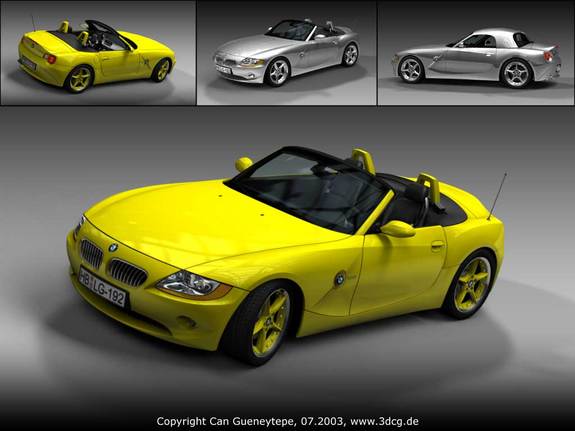
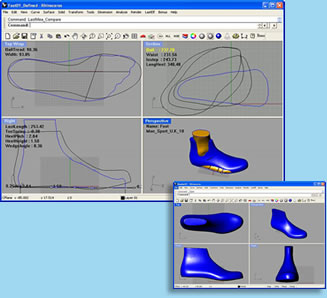
The 3D unit has several parts to it. First, it's important to understand what 3d means. Click here to visit a site that will summarize how the three dimensions are viewed and created. Then learning the basics of 3d software is the next step. After practicing how to create objects in a three dimensional environment you need to combine objects. You will have the option of what 3d software (Blender, Poser, Vue 7, etc) you choose to use after experimenting with a couple assignments. We'll begin with Rhinoceros. Read a summary of the software here. Visit the website here to view the gallery and explore the program features.
Here's a student example created by Connor Hughes. The first part of the project is experimentational. Experiment within the program. Try to create a simple object from scratch. Go to HELP, GETTING STARTED, then click on TUTORIALS. You are responsible for learning the basics using the tutorials.
You may follow the steps of the tutorials and create exactly what they instruct if you prefer.
After creating 3 objects in Rhino it's time to move to another program. Sketchup is on your computers and is available free online from Google. SKETCHUP information is here.
Here's examples created by Ryan Richter, Sarai Albert, and Lindy Schweitzer.
The layout is similar in some regards but will reguire time to adjust. Sketchup has several types of tutorials to follow also. Use them to create a building. You should create your company store or a museum in which you can hang pictures or photographs of your work from this year. You need to design the interior and exterior thoroughly. Design the inside with detail and landscape the exterior completely. The more the better. Pay attention to the scale of your building and all objects. They should be scaled appropriately for real life size humans. The basic criteria is as follows: Exterior - street, sidewalk, grass, shrubbery or trees, parking lot, lights, sign created in Photoshop or Illustrator, and textures. After finishing the above assignment and turning them in for grades you get to decide what type of 3D program you pursue for your final 3d project. Research various types of software and determine which one you want to use such as: Blender, Poser, Vue 7, Pov Ray, Doga, Anim8or, WorldBuilder, Webmaker, Terragen, or another. Here's a link to numerous websites with free 3D content for various programs. 3dvia is one of the largest sharing sites on the Net.
After using Skecthup to create your building use another program called Terragen to create 3d landscapes. |